Showing posts with label Eugenie MacDonald. Show all posts
Showing posts with label Eugenie MacDonald. Show all posts
Friday, 24 January 2014


Friday, 17 January 2014
Evaluation: Question 1
Evaluation: Question 1
In What Ways Does Your Media Products Use, Develop Or Challenge Forms & Conventions Of Real Media Products?
JME - 96 Fuckries
http://www.youtube.com/watch?v=PkYdU1v7yzo


JME'S music video 96 fuckries is similar to the video me and my group have created in terms of the mise en scene. That is a big part in our video as we were trying to portray our artist to come from a certain area (the urban city, with graffiti walls and alley ways), which you can see within this video too as JME is a UK grime artist. This aspect of the video influence us for our own video. We incorporated a lot of graffiti walls and alley ways, and the fact that the video is filmed in the evening when its really dark; we have some good lighting and some colourful lighting to enhance the location the artist is set in.


Used, Developed Or Challenged Ideas?


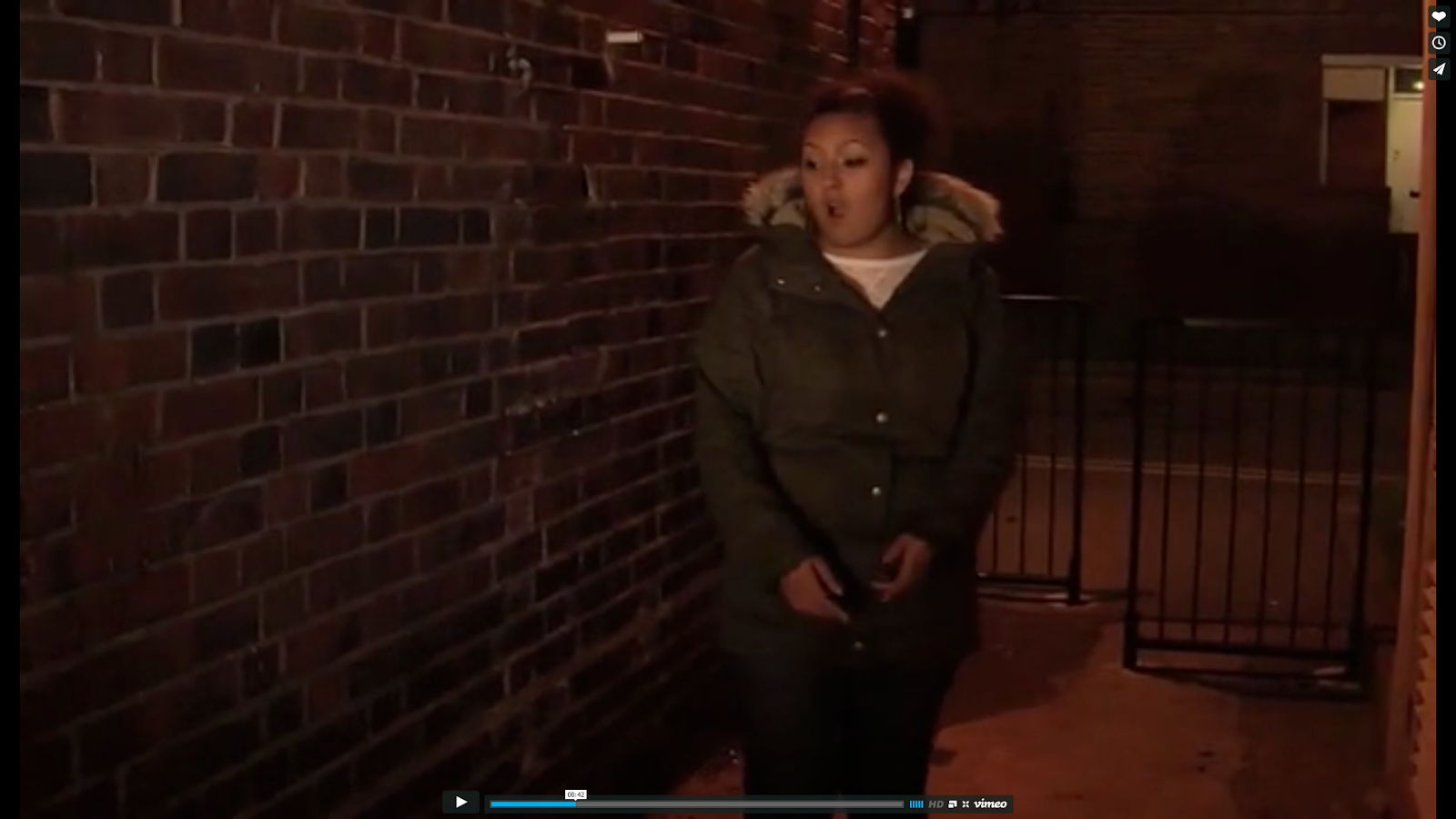


Music Vid Screenshots - slideshows
Ancillary Products

Rita Ora was one of the artists that related to my genre. Her digipak is a good example of how the album is focused on the artist as a close up of her is on the front panel, so the audience can see her; and only her. The only writing that is on the front it the name of the artist, which is the biggest font size, and then the name of the album. The name of the album is called 'Ora', the artist's last name; again showing that this album is representing her. The back panel has snap shots of the artist and the track list on the right hand side. The colour scheme of black, white and red is shown throughout the digipak as the cd itself is red and white as well. With my ancillary work the colour scheme is the same throughout and the brick wall being the synergy is represented throughout.

 |
Inside Panels |
Evaluation: Question 2
Evaluation: Question 2
How Effective Is The Combination Of Your Main Product (Video) & Ancillary Texts (Digipak & Advertisement)?
A successful music video will make clear visual links between it and its ancillary products. The most successful shots we got were with the graffiti walls, brick walls and alley ways with really good lighting which was very obvious in the final video. It also showed the urban surrounding and had the concept we were going for. So I planned to use synergy from graffiti/urban location with he brick wall.


Evaluation: Question 3
Evaluation: Question 3
How Did You Use Media Technologies In The Construction And Research, Planning And Evaluation Stages?
Evaluation: Question 4
Evaluation: Question 4
What Have I Learned From My Audience Feedback?
For this question i have made a 'documentary', well not really a documentary as i never got footage of me talking through the video lool, but i got audience feedback from our target audience and teachers and i filmed a vlog with my own response on how the audience reacted to the video.
Music Video:
06. Eugenie, Sharina, Zhane from 283goswell on Vimeo.
Audience Feedback (VIDEO):
 |
| Editing The Audience Feedback |
Audience Feedback (ANCILLARY):
What Have I Learned From The Audience Feedback:
Thursday, 9 January 2014
Production Of Ancillary Work: Finished Ancillary Products
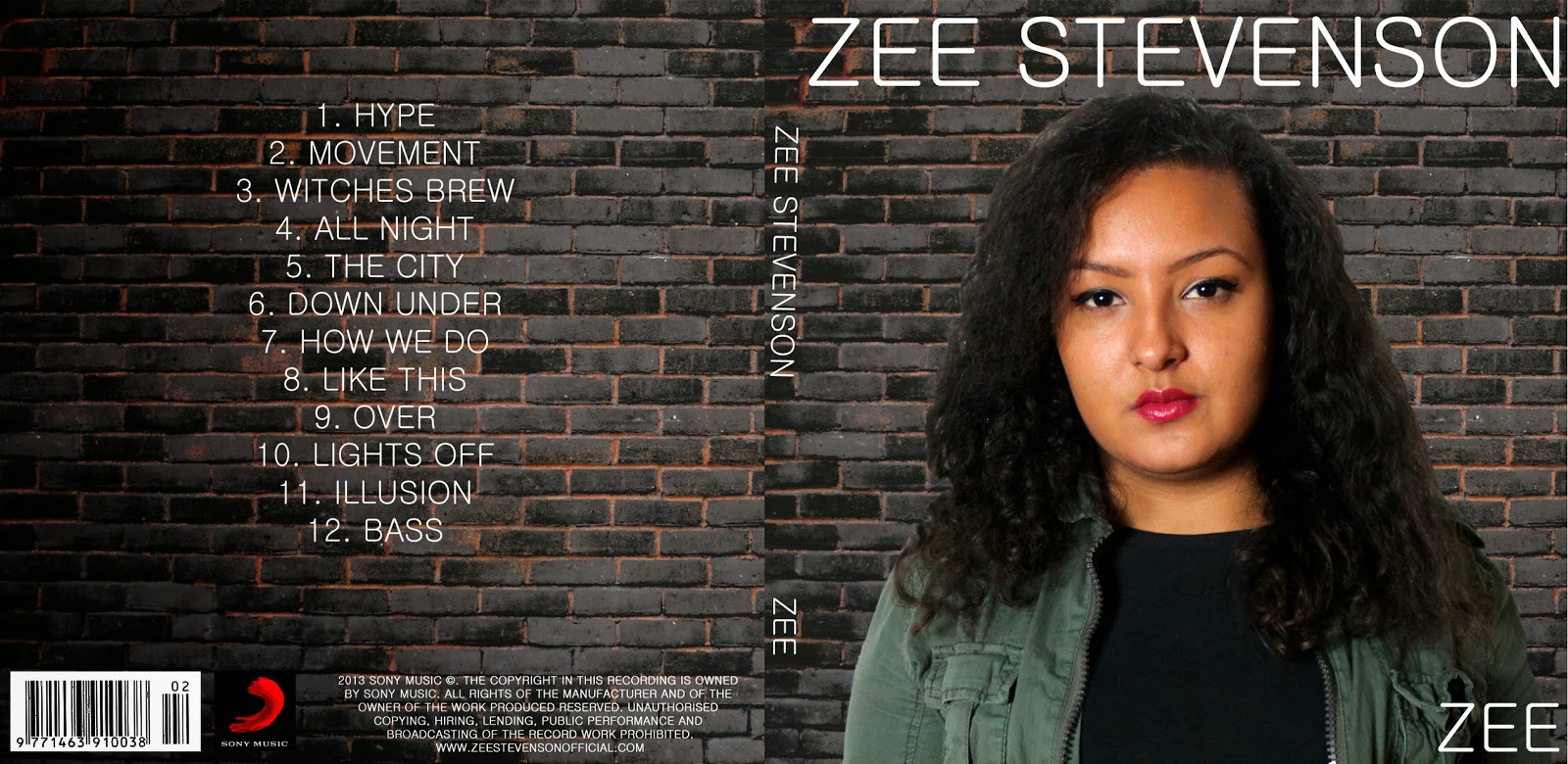
Finished Ancillary Products
These are my final ancillary products that i have created using Photoshop. As you can see the synergy is the brick wall which represents the urban/ghetto area she is from. This is also portrayed in the music video 'Witches Brew', as she sings the chorus in front of a brick wall. The audience who views this ancillary work could immediately link it back to the music video.
 |
| Outside Panels |
 |
| Inside Panels |
 |
| Advertisment |
Tuesday, 7 January 2014
Production Of Ancillary Work: Finished Advertisement
This is my completed version of the advertisement, i have added the 'iTunes' logo and rearranged the writing. I tried adding the Hmv and Amazon logo etc. but it didn't look right and it was a bit squashed and looked crowded, especially with the big white boxes around the logo, it took away that professional look.
Production Of Ancillary Work: Working On Advertisement
What I Am Working On...
The layout i had done originally for my mock up changed when creating the real thing. I changed the picture of the artist, as the one i originally picked didn't go very well; and the way everything is positioned is slightly different too. Again i went through font book and chose a font type that i thought would suit the advert. It looks army like, especially because Zee is wearing a carky green jacket, so it looks like she is coming from the military lool. The other font used for the website and information is more simple and professional.


Production Of Ancillary Work: Finished Inside Panels
This is my completed version of the inside panels.
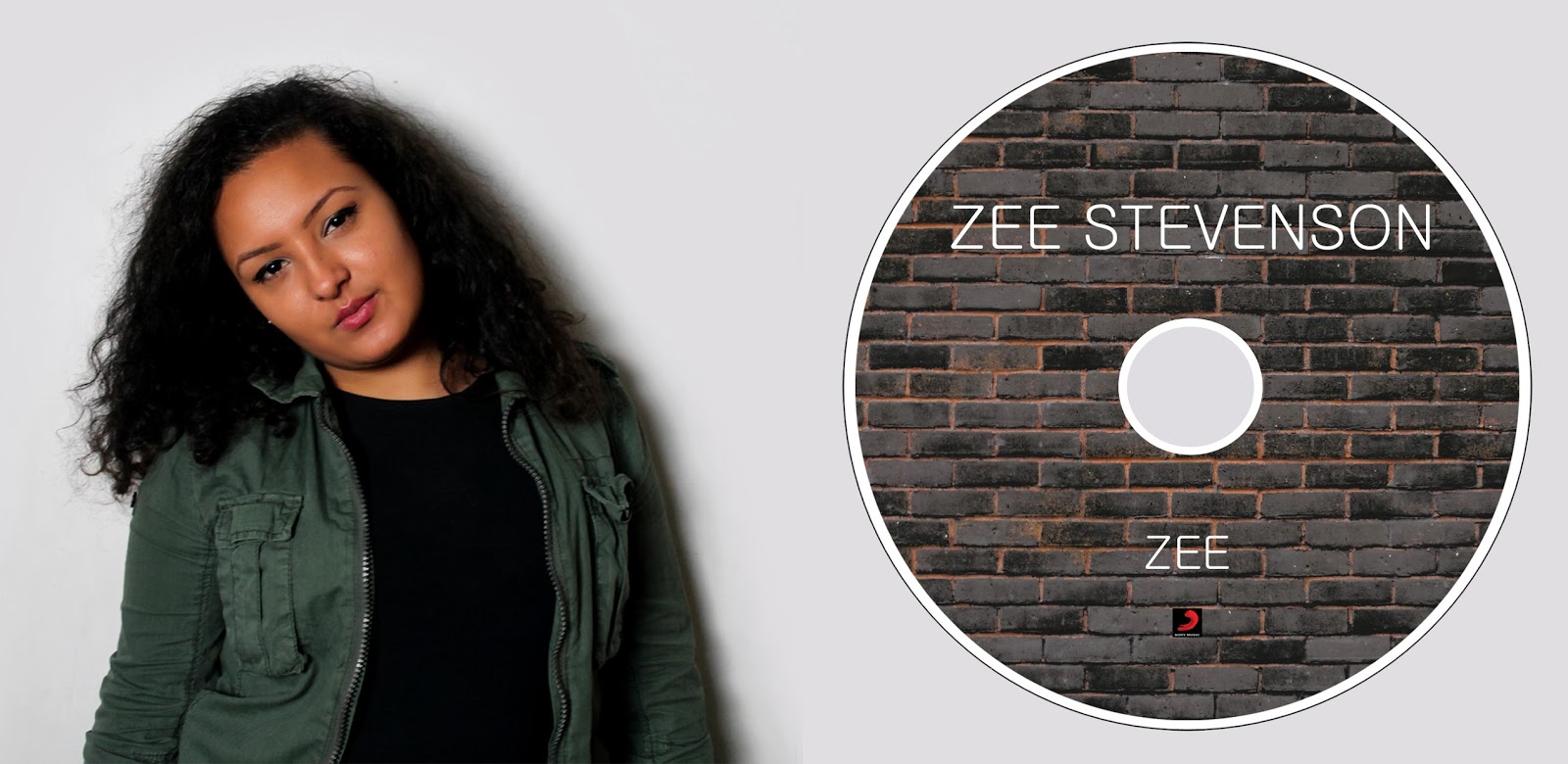
Production Of Ancillary Work: Working On Inside Panels
Working On Inside Panels
Using Photoshop i have started to work on the inside panels. I wanted to keep the theme of the brick wall consistent as it relates to our genre and concept. So i decided to make it the image for the CD itself. I think it works quite well. As you can see, the inside is quite simple, i didn't want any writing on the inside because i felt it was not necessary and i didn't want to write gibberish. So i used an image of the artist, and as the album is about her, it makes sense to have an image of herself.

Production Of Ancillary Work: Finished Outside Panels
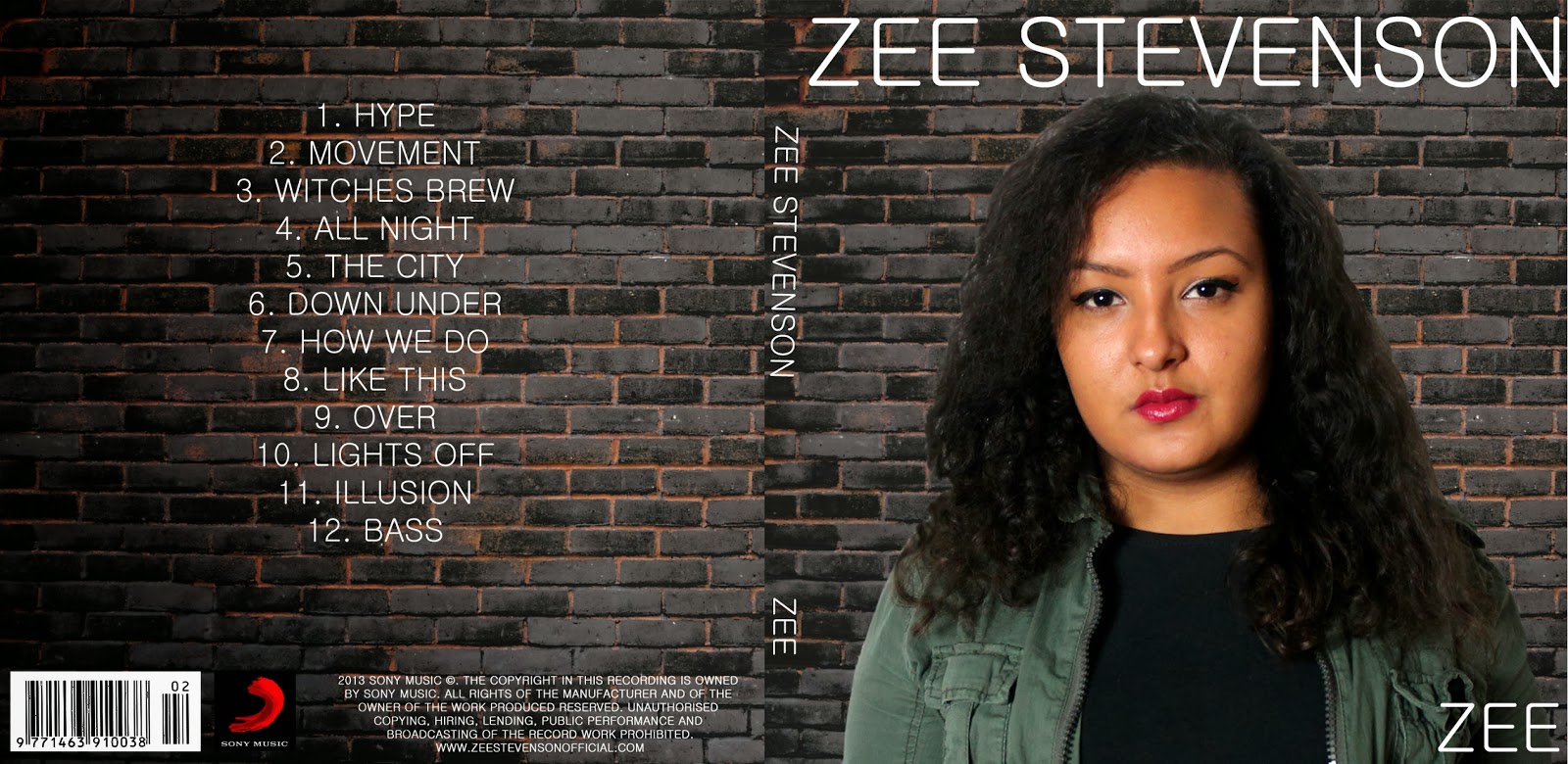
Finished Outside Panels
This is my final version of the outside panels for the digipak. When uploading the JPEG onto blogger, for some reason it is changing the colour on the left side of the panel and it appears darker. But it is not meant to be, so i have just screenshot the JPEG as well to show how is is meant to really look.
 |
| Screenshot of JPEG |
Thursday, 19 December 2013
Production Of Ancillary Work: What I Have Done So Far...
Almost Done...
This is where i have got up to so far in creating the front panels of my digipak. I have used my own wall and have blurred the image so they fit well together. I have added the artists name, album name and track-list. The barcode, company logo and the copyright information has also been added. I am almost done, i just need to check spelling mistakes and to see if everything is the right proportion etc.
 |
Tuesday, 17 December 2013
Production Of Ancillary Work: What I Have Done So Far...
So Far...
I started to put together the front panel of the digipak; changing the scale of the image of Zee and adding text. This was with the wall that i initially got my idea from. But then i started to create and manipulate my own wall as you can see in the last screenshot. As the image of Zee and the brick wall are 2 different images, it looked very fake and stood out when one was out on top of the other, so i used the blur tool to soften the edges of the image of Zee which then blurs and makes it look more together.


 |
| My Own Wall - The 2 Images Not Blurred |
Production Of Ancillary Work: Creating My Own Brick Wall Background
Testing Out Brick Wall Effects
As the background for the outside panels is going to be a brick wall, i took a picture of the wall where we did part of our photo-shoot and then started to play around with the effects, filters and adjustments in photoshop. Here are a few things i was trying out with the wall. As the wall was a creamy - yellow, it was a bit difficult to make the colour darker and more mysterious.
 |
| Original Picture |


 |
| Original Image |
Here again, i used a different image of the brick wall (one more far away), and continued to manipulate the wall. I found out a way to make the wall more darker with highlights between the cracks so it looks like its slightly glowing. This i think gives off great effect, it relates well to our genre and the concept of the urban, gritty look which would work well with the image of Zee.


Production Of Ancillary Work: Adjusting Colour
Adjusting Colour
Before i started creating the actual digipak, i manipulated the image first by adjusting the levels and hue/saturation to make the image look more vibrant and show up the colour more. Here is the before and after image to show the difference between the non-adjusted and the adjusted.


 |
| Before |
 |
| After |
Subscribe to:
Comments (Atom)